
Speak your language.
Use Auto-detect or select your spoken language. Create captions that follow the speech in your video.
Transcription in the spoken language.You bring the story.
CapSub brings the words to the screen.
Turn your speech into captions, give them your style, and share a video people can follow with the sound off.
Free download · Optional in-app purchases

Keep creating. Give your words a place in the picture.
Import a recording, or make a new talking video with the teleprompter.
Generate captions from your speech. Review the words, then choose your style.
Export your captioned video. Upload it to Reels, TikTok, Shorts, or wherever you share.
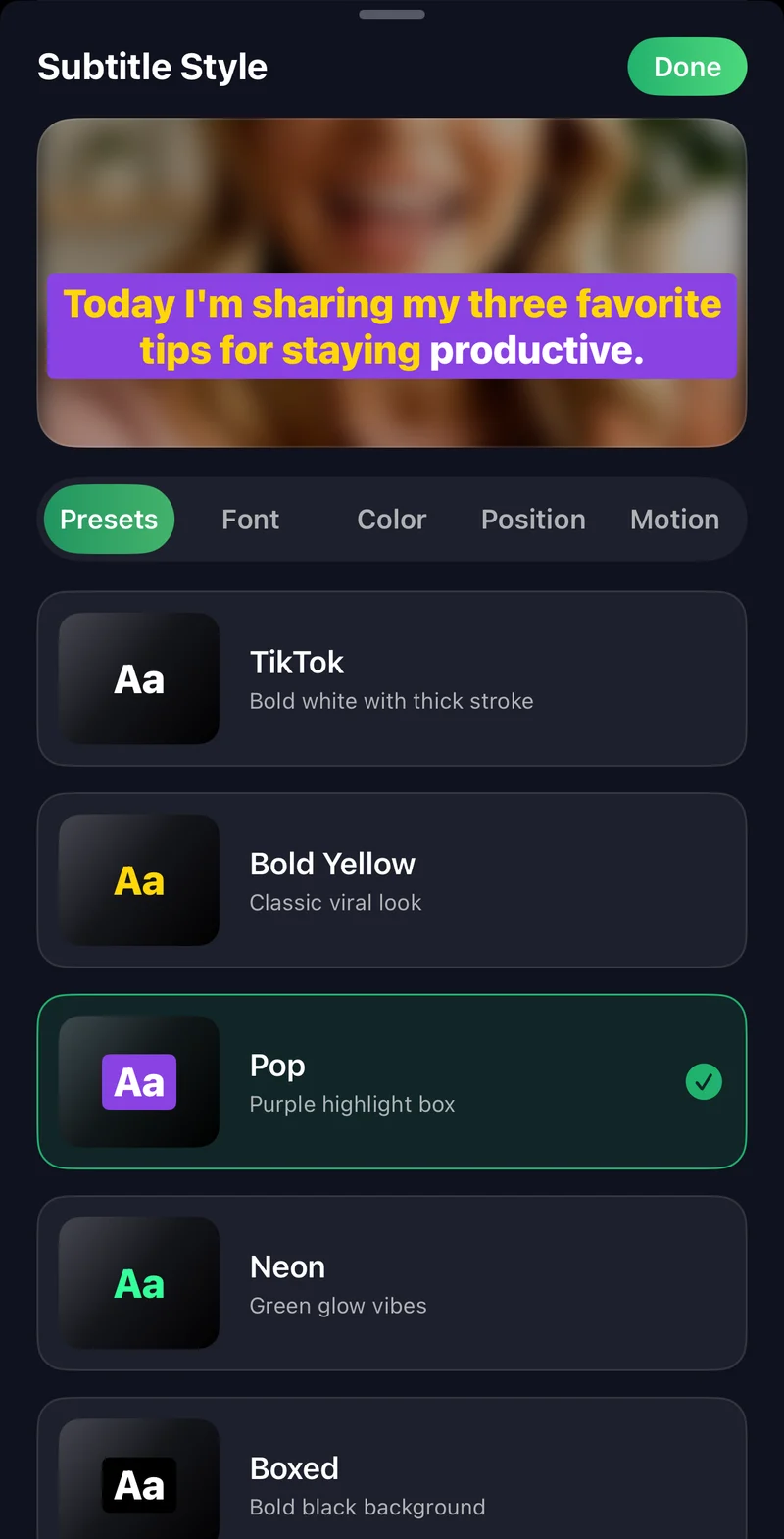
Go bold. Keep it clean. Highlight the moment that matters. Choose caption presets, adjust the size and position, and see the look on your own video.
Helpful tools for the parts around the captions, too.
Use Auto-detect or select your spoken language. Create captions that follow the speech in your video.
Transcription in the spoken language.Share a captioned video, export an SRT or VTT file, or copy your transcript.
SRT or VTT?Read a scrolling script over the camera. Set your text size and pace, then record your take.
Meet the teleprompter
Turn spoken audio into subtitles on iPhone. Learn how to generate captions, choose a readable style, and export your video with CapSub.
Read the guide : How to add subtitles to a video on iPhone
Caption your talking videos for Reels and TikTok. Learn where to place text, how to keep it readable, and what to check before you post.
Read the guide : Make readable captions for Reels and TikTok
Understand the difference between SRT and WebVTT, see a timing example, and choose the right subtitle export for your video workflow.
Read the guide : SRT vs VTT: which subtitle file should you use?CapSub turns speech in your video into editable captions. Choose a caption style, adjust the words and timing, and export a video with captions. You can also export SRT or VTT files, copy the transcript, and record with a teleprompter.
Yes. Export your captioned video, then upload it to the platform you use. Preview it there before posting so captions stay clear of the platform’s buttons and description.
CapSub is free to download and offers optional in-app purchases. Check the app’s purchase screen for the current plans, included features, usage limits, and any trial terms.
Yes. The App Store version supports iPhone and iPad running iOS 17 or later.
Use Auto-detect or choose the language spoken in your video. The app includes a language selector for languages such as English, Spanish, French, Japanese, and Filipino. Transcription creates captions in the spoken language; it is not a translation tool.
AI transcription may use cloud processing, so keep an internet connection available. CapSub does not offer a user-selectable offline transcription mode. Read the privacy policy for information about data handling.
Export a video when you want the captions to be visible as part of the picture. Export SRT or VTT when a player, editor, or publishing platform asks for a separate subtitle file.
Bring your voice to the screen with CapSub.
Free download · Optional in-app purchases
iPhone & iPad · iOS 17+